








TREK
Your trips. Your plan. Your server. A self-hosted, real-time collaborative travel planner — with maps, budgets, packing lists, a journal, and AI built in.
Demo   Docker   Discord   Roadmap
Ko-fi   BMAC
License Latest Release Docker Pulls Stars
---
TREK — 60-second tour

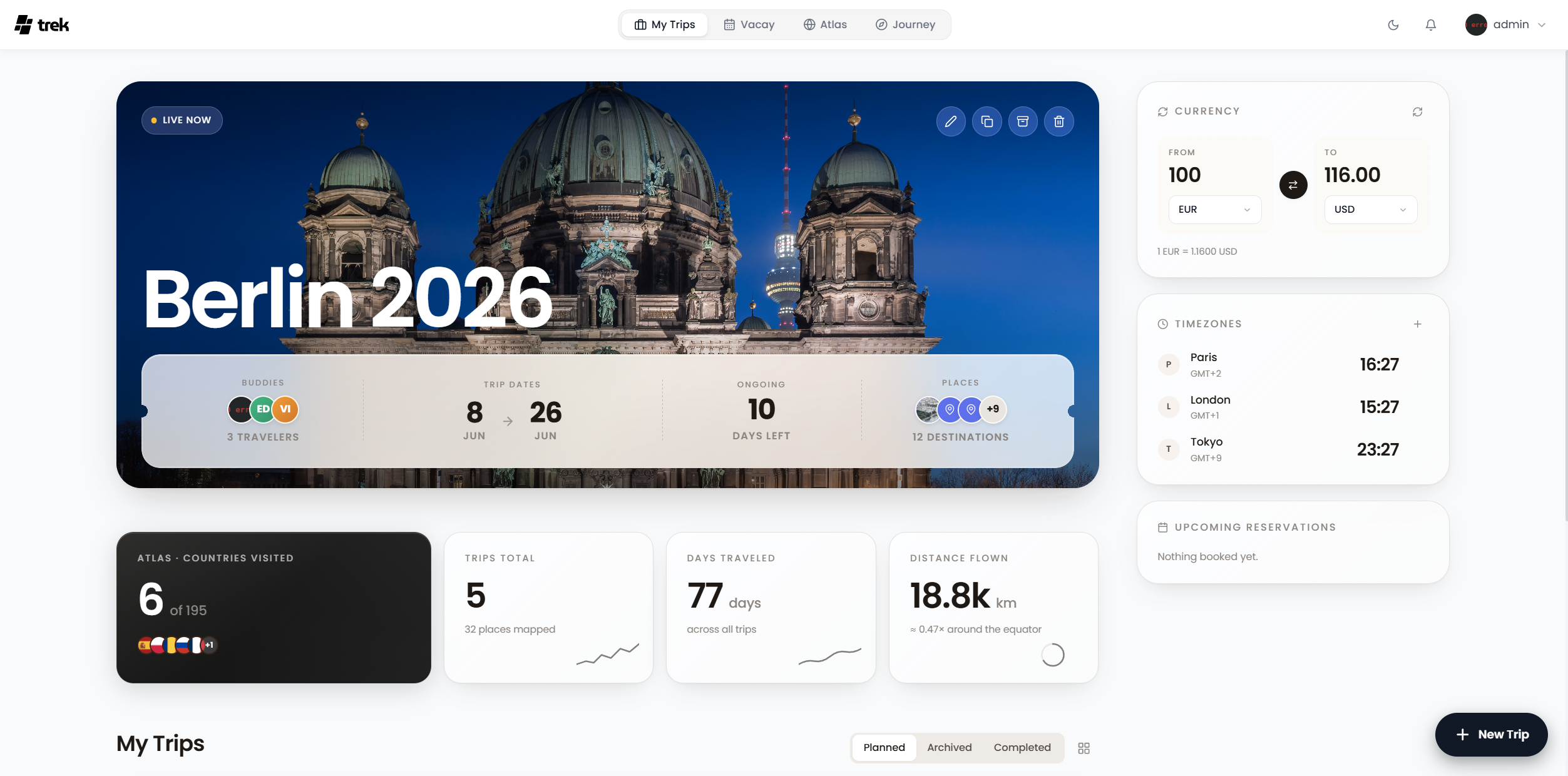
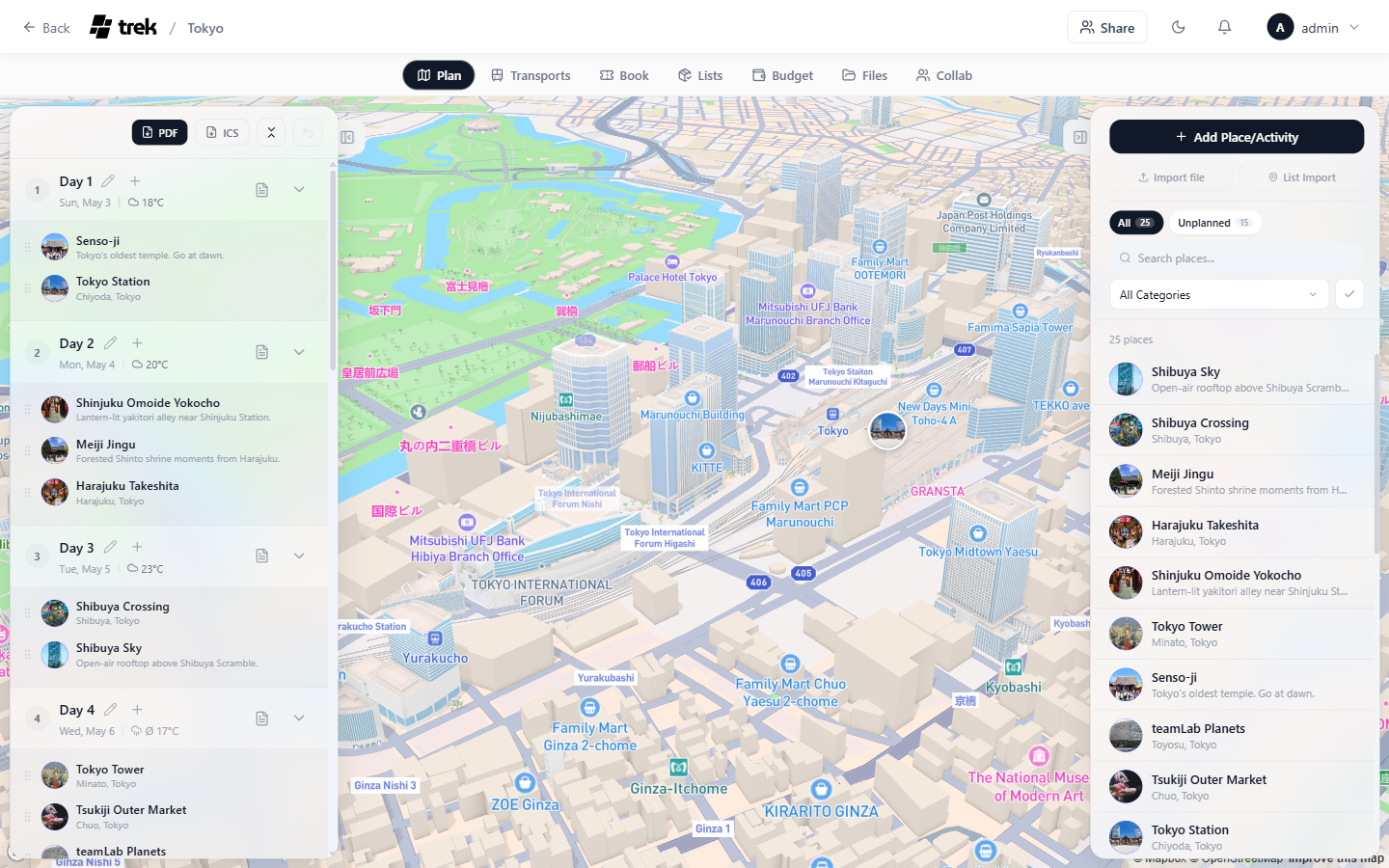
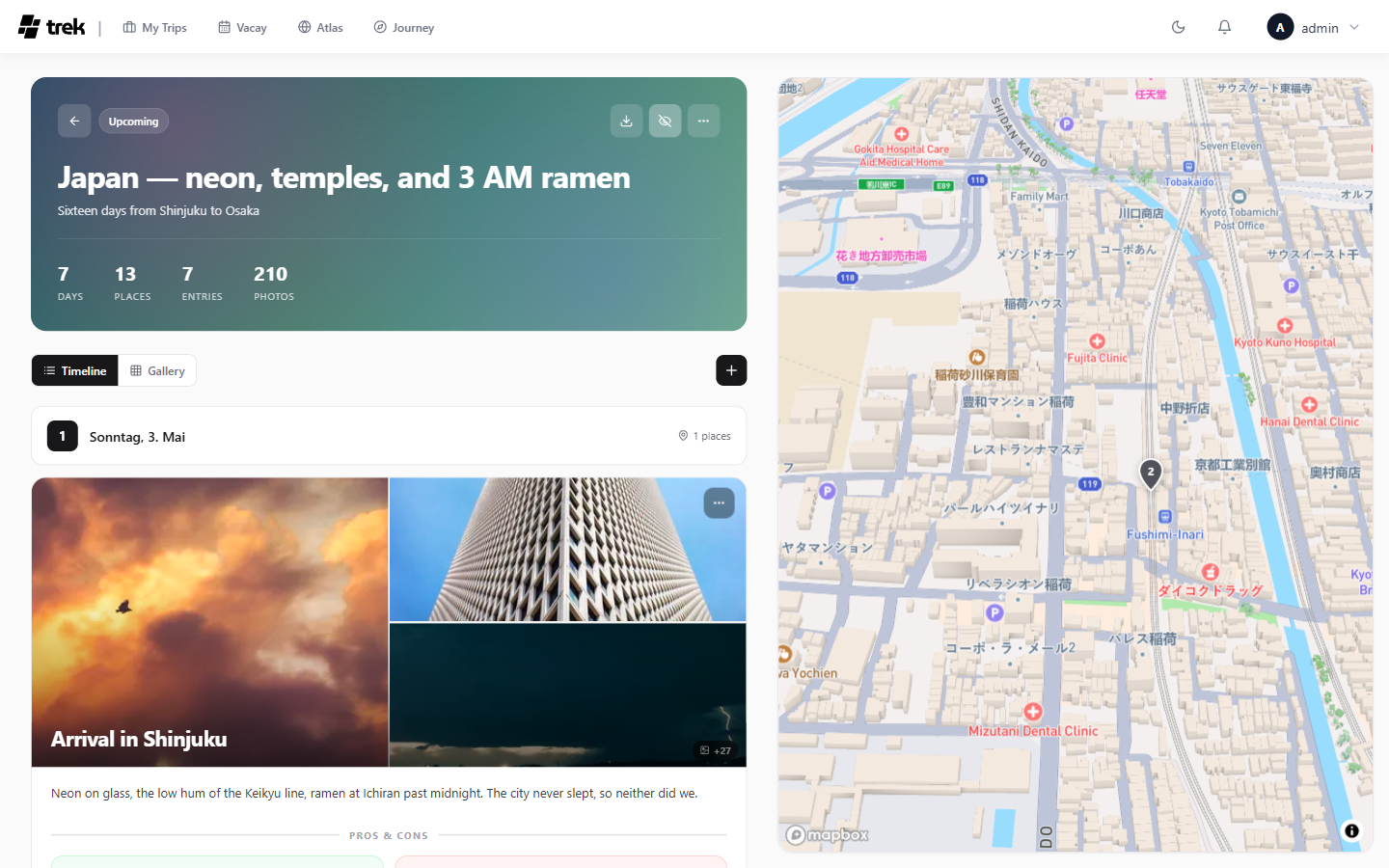
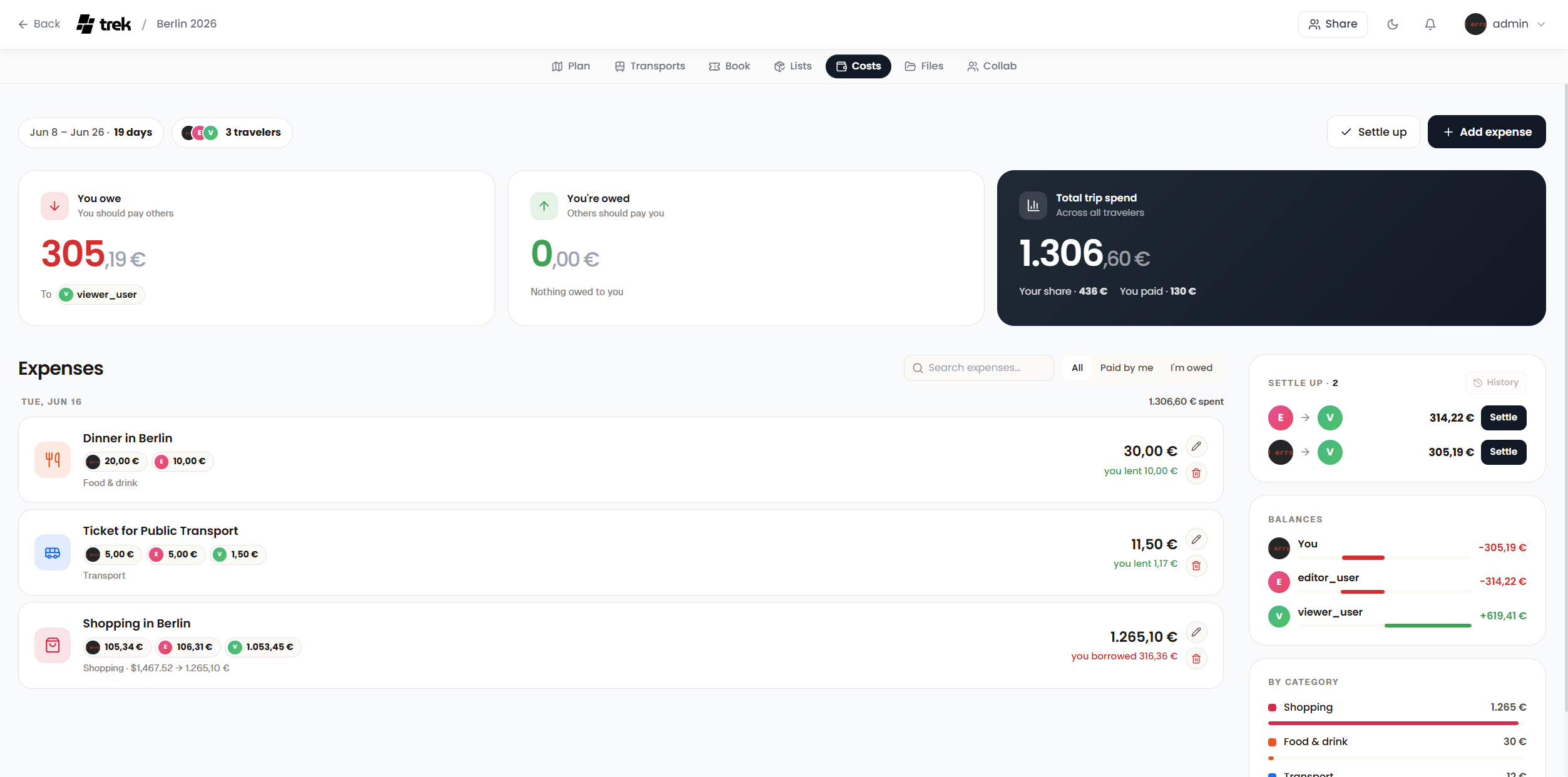
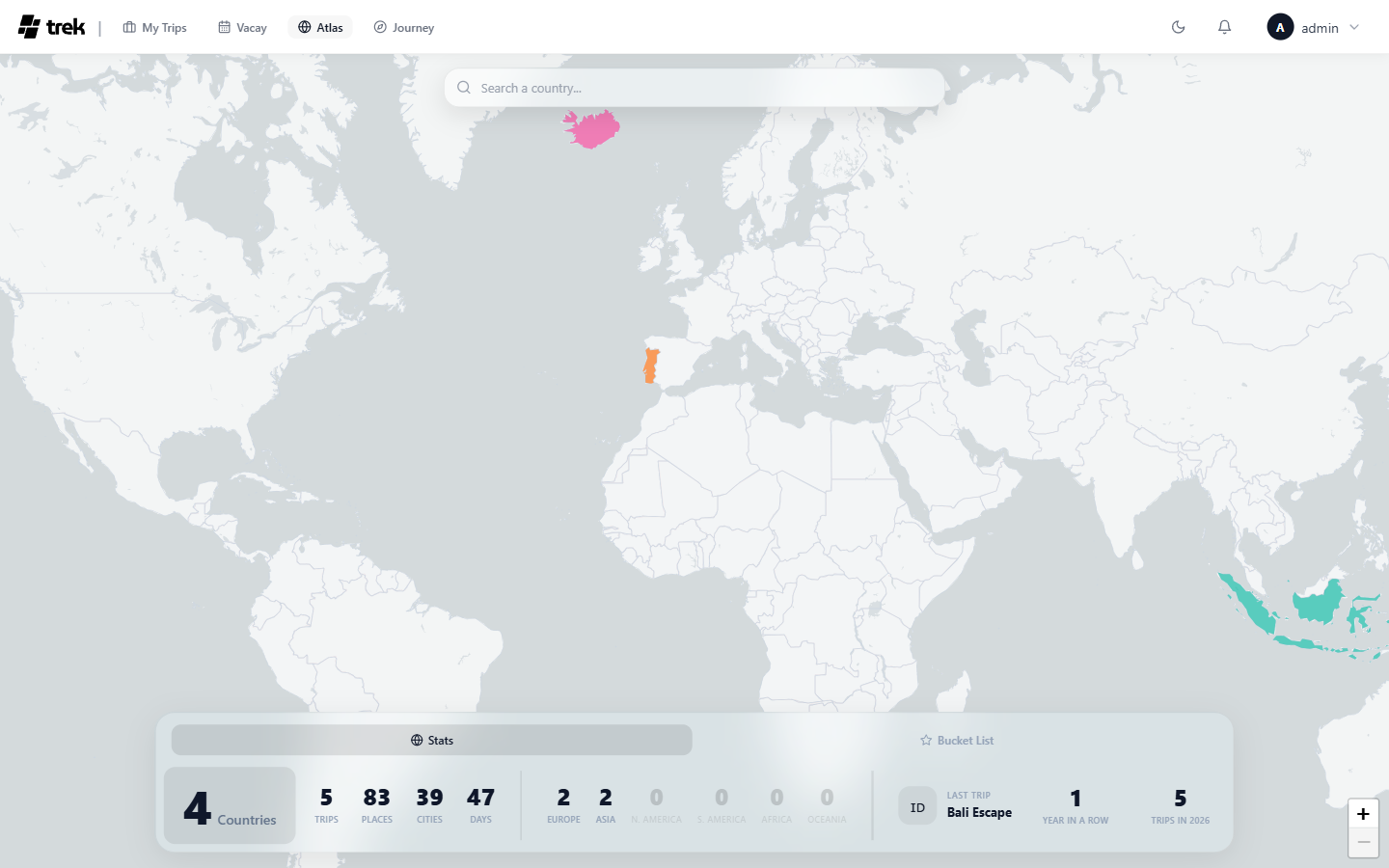
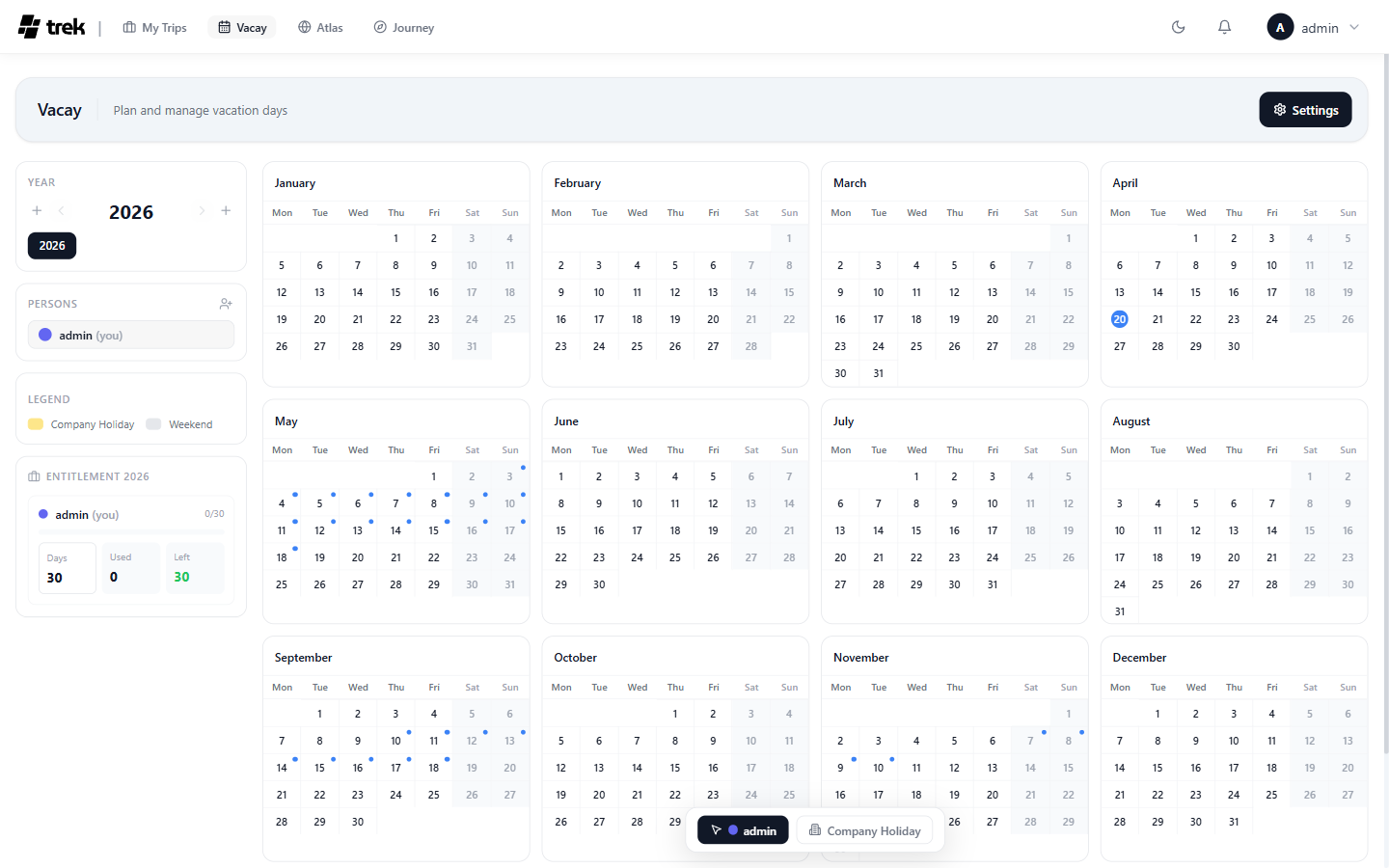
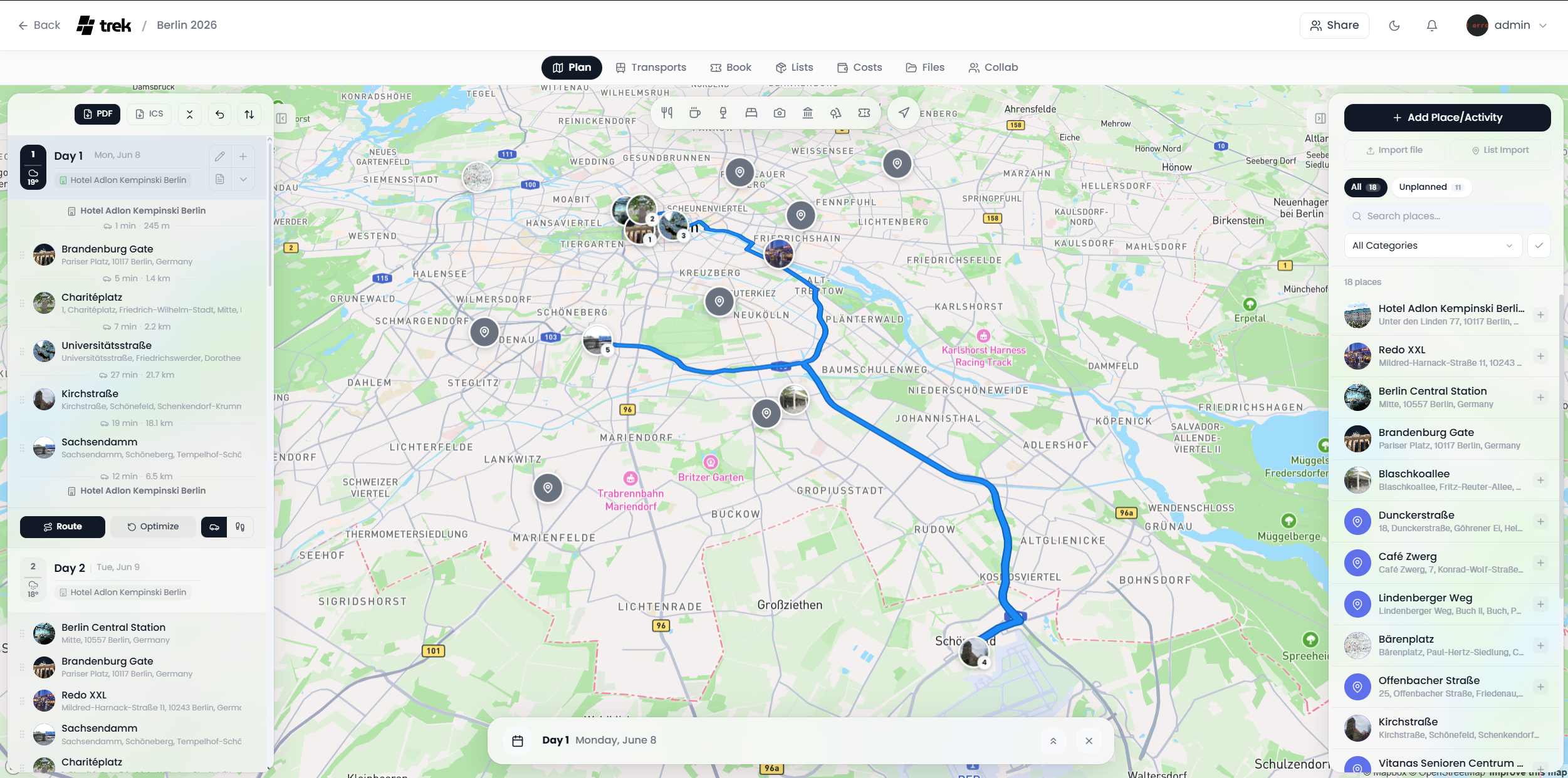
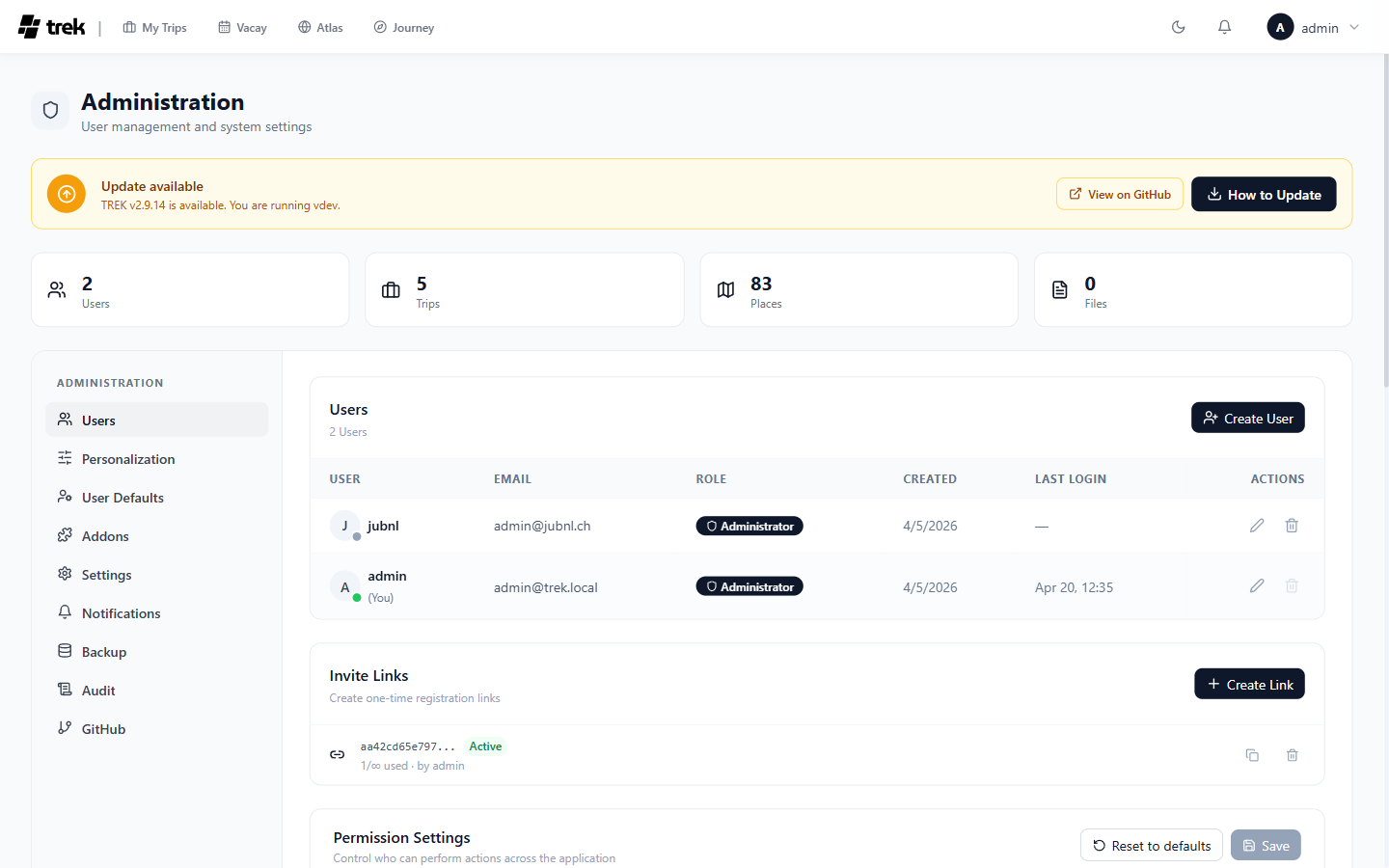
Dashboard Trip planner with 3D map Journey journal Costs · expense splitting Atlas · visited countries Vacay planner Trip planner · day plan and route Admin panel
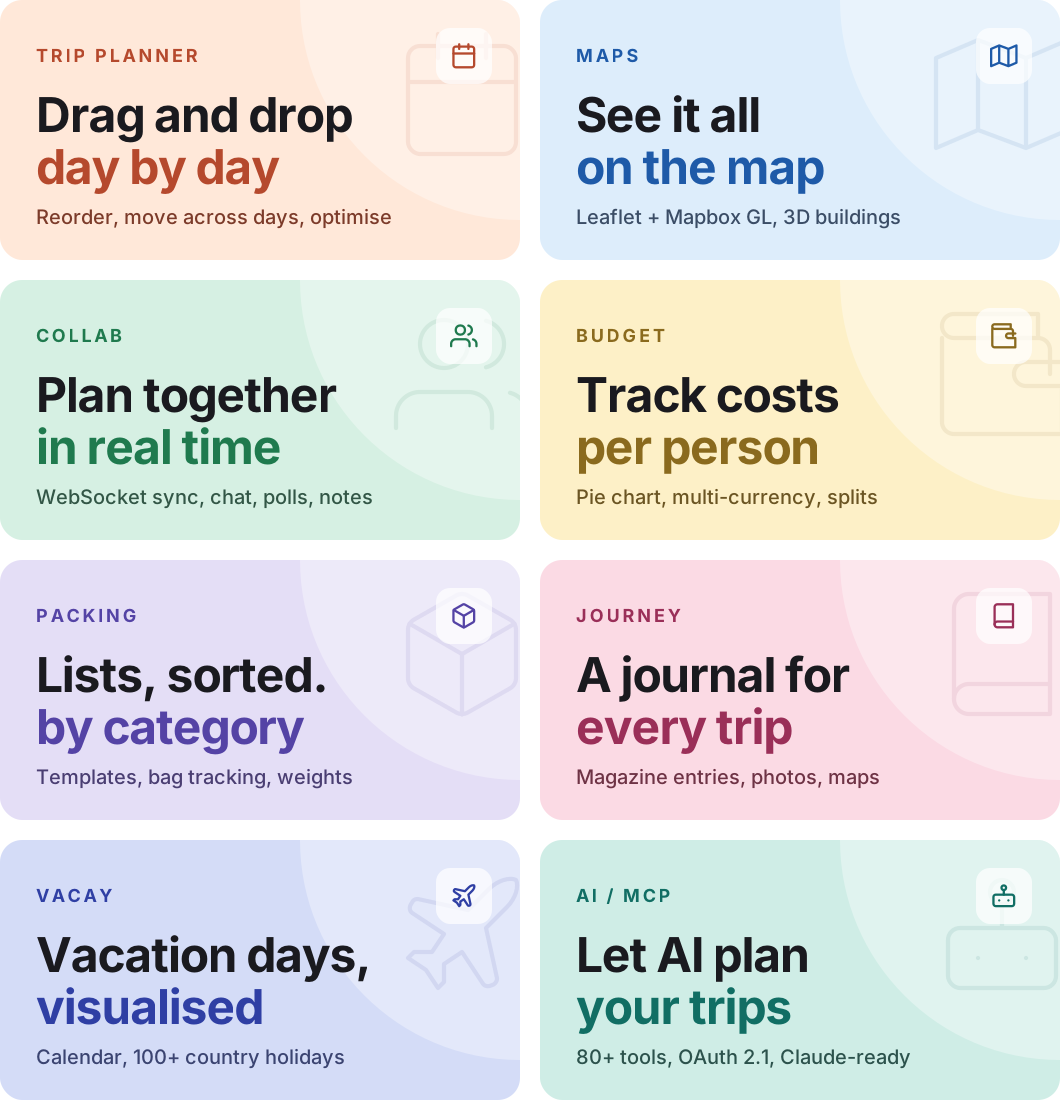
--- ## What you get TREK feature tiles
See all features
#### 🧭 Trip planning - **Drag & drop planner** — organise places into day plans with reordering and cross-day moves - **Interactive map** — Leaflet or Mapbox GL with 3D buildings, terrain, photo markers, clustering, route visualization - **Place search** — Google Places (photos, ratings, hours) or OpenStreetMap (free, no API key) - **Place import** — shared Google Maps / Naver Maps lists, plus GPX and KML/KMZ/GeoJSON map files - **Day notes** — timestamped, icon-tagged notes with drag-and-drop reordering - **Route optimisation** — auto-sort places and export to Google Maps - **Weather forecasts** — 16-day via Open-Meteo (no key) + historical climate fallback - **Category filter** — show only matching pins on the map #### 🧳 Travel management - **Reservations** — flights, accommodations, restaurants with status, confirmation numbers, files; import from booking confirmation emails and PDFs ([KDE Itinerary](https://invent.kde.org/pim/kitinerary)) - **Costs** — track and split trip expenses (Splitwise-style): per-person / per-day breakdowns, settle-up, multi-currency - **Packing lists** — categories, templates, user assignment, progress tracking - **Bag tracking** — optional weight tracking with iOS-style distribution - **Document manager** — attach docs, tickets, PDFs to trips / places / reservations (≤ 50 MB each) - **PDF export** — full trip plan as PDF with cover page, images, notes
#### 👥 Collaboration - **Real-time sync** — WebSocket. Changes appear instantly across all connected users - **Multi-user trips** — invite members with role-based access - **Invite links** — one-time or reusable links with expiry - **SSO (OIDC)** — Google, Apple, Authentik, Keycloak, or any OIDC provider - **2FA** — TOTP + backup codes - **Passkeys** — passwordless WebAuthn login (fingerprint / face / PIN / security key), admin-toggleable - **Collab suite** — group chat, shared notes, polls, day check-ins #### 📱 Mobile & PWA - **Installable** — iOS and Android, straight from the browser, no App Store needed - **Offline support** — Service Worker caches tiles, API, uploads via Workbox - **Native feel** — fullscreen standalone, themed status bar, splash screen - **Touch optimised** — mobile-specific layouts with safe-area handling
#### 🧩 Addons (admin-toggleable) - **Lists** — packing lists + to-dos with templates, member assignments, optional bag tracking - **Costs** — expense tracker with splits and settle-up (who owes whom), multi-currency - **Documents** — file attachments on trips, places, and reservations - **Collab** — chat, notes, polls, day-by-day attendance - **Vacay** — personal vacation planner with calendar, 100+ country holidays, carry-over tracking - **Atlas** — world map of visited countries, bucket list, travel stats, streak tracking, liquid-glass UI - **Journey** — magazine-style travel journal with entries, photos (Immich/Synology), maps, moods - **AirTrail** — connect a self-hosted AirTrail instance to import and sync flights into reservations - **MCP** — expose TREK to AI assistants via OAuth 2.1 #### 🤖 AI / MCP - **Built-in MCP server** — OAuth 2.1 authenticated. 150+ tools, 30 resources - **Granular scopes** — 27 OAuth scopes across 13 permission groups - **Full automation** — AI can create trips, plan days, build packing lists, manage budgets, mark countries visited - **Pre-built prompts** — `trip-summary`, `packing-list`, `budget-overview` - **Addon-aware** — exposes Atlas, Collab, Vacay when those addons are on
#### ⚙️ Admin & customisation - **Dashboard views** — card grid or compact list · **Dark mode** — full theme with matching status bar - **20 languages** — EN, DE, ES, FR, IT, NL, HU, RU, ZH, ZH-TW, PL, CS, AR (RTL), BR, ID, TR, JA, KO, UK, GR - **Admin panel** — users, invites, packing templates, categories, addons, API keys, backups, GitHub history - **Notifications** — per-user preferences across email (SMTP), webhook, ntfy, and an in-app notification center - **Auto-backups** — scheduled with configurable retention · **Units** — °C/°F, 12h/24h, map tile sources, default coordinates

## Get started in 30 seconds ```bash ENCRYPTION_KEY=$(openssl rand -hex 32) docker run -d -p 3000:3000 \ -e ENCRYPTION_KEY=$ENCRYPTION_KEY \ -v ./data:/app/data -v ./uploads:/app/uploads mauriceboe/trek ``` Open `http://localhost:3000`. On first boot TREK seeds an admin account — if you set `ADMIN_EMAIL`/`ADMIN_PASSWORD` those are used, otherwise the credentials are printed to the container log (`docker logs trek`).
  ·  Docker Compose  ·  Helm / Kubernetes  ·  Install as PWA  ·  Reverse Proxy  ·  

## Tech stack
![Node.js](https://img.shields.io/badge/Node.js_22-339933?style=flat-square&logo=node.js&logoColor=white) ![NestJS](https://img.shields.io/badge/NestJS_11-E0234E?style=flat-square&logo=nestjs&logoColor=white) ![SQLite](https://img.shields.io/badge/SQLite-003B57?style=flat-square&logo=sqlite&logoColor=white) ![React](https://img.shields.io/badge/React_19-61DAFB?style=flat-square&logo=react&logoColor=black) ![Vite](https://img.shields.io/badge/Vite-646CFF?style=flat-square&logo=vite&logoColor=white) ![TypeScript](https://img.shields.io/badge/TypeScript-3178C6?style=flat-square&logo=typescript&logoColor=white) ![Tailwind](https://img.shields.io/badge/Tailwind-06B6D4?style=flat-square&logo=tailwindcss&logoColor=white) ![Leaflet](https://img.shields.io/badge/Leaflet-199900?style=flat-square&logo=leaflet&logoColor=white) ![Docker](https://img.shields.io/badge/Docker-2496ED?style=flat-square&logo=docker&logoColor=white)
Real-time sync via WebSocket (`ws`). Backend on NestJS 11. State with Zustand. Auth via JWT + OAuth 2.1 + OIDC + Passkeys (WebAuthn) + TOTP MFA. Weather via Open-Meteo (no key required). Maps with Leaflet and Mapbox GL.

Docker Compose (production)

Full compose example with secure defaults ```yaml services: app: image: mauriceboe/trek:latest container_name: trek read_only: true security_opt: - no-new-privileges:true cap_drop: - ALL cap_add: - CHOWN - SETUID - SETGID tmpfs: - /tmp:noexec,nosuid,size=64m ports: - "3000:3000" environment: - NODE_ENV=production - PORT=3000 - ENCRYPTION_KEY=${ENCRYPTION_KEY:-} # generate with: openssl rand -hex 32 - TZ=${TZ:-UTC} - LOG_LEVEL=${LOG_LEVEL:-info} - ALLOWED_ORIGINS=${ALLOWED_ORIGINS:-} - APP_URL=${APP_URL:-} # required for OIDC + email links # - FORCE_HTTPS=true # behind a TLS-terminating proxy # - TRUST_PROXY=1 # - OIDC_ISSUER=https://auth.example.com # - OIDC_CLIENT_ID=trek # - OIDC_CLIENT_SECRET=supersecret # - OIDC_DISPLAY_NAME=SSO # - OIDC_ADMIN_CLAIM=groups # - OIDC_ADMIN_VALUE=app-trek-admins volumes: - ./data:/app/data - ./uploads:/app/uploads restart: unless-stopped healthcheck: test: ["CMD", "wget", "-qO-", "http://localhost:3000/api/health"] interval: 30s timeout: 10s retries: 3 start_period: 15s ``` Then: ```bash docker compose up -d ``` **HTTPS notes:** `FORCE_HTTPS=true` is optional — it adds a 301 redirect, HSTS, CSP upgrade-insecure-requests, and forces the `secure` cookie flag. Only use it behind a TLS-terminating reverse proxy. `TRUST_PROXY=1` tells the server how many proxies sit in front so real client IPs and `X-Forwarded-Proto` work.

Helm (Kubernetes)

```bash helm repo add trek https://mauriceboe.github.io/TREK helm repo update helm install trek trek/trek ``` See [`charts/README.md`](https://github.com/mauriceboe/TREK/blob/main/charts/README.md) for values.

Install as App (PWA)

TREK works as a Progressive Web App — no App Store needed. 1. Open TREK in the browser (HTTPS required) 2. **iOS**: Share ▸ *Add to Home Screen* 3. **Android**: Menu ▸ *Install app* (or *Add to Home Screen*) TREK then launches fullscreen with its own icon, just like a native app.
## Updating **Docker Compose:** ```bash docker compose pull && docker compose up -d ``` **Docker run** — reuse the original volume paths: ```bash docker pull mauriceboe/trek docker rm -f trek docker run -d --name trek -p 3000:3000 -v ./data:/app/data -v ./uploads:/app/uploads --restart unless-stopped mauriceboe/trek ``` > Not sure which paths you used? `docker inspect trek --format '{{json .Mounts}}'` before removing the container. Your data stays in the mounted `data` and `uploads` volumes — updates never touch it. > [!IMPORTANT] > Mount **only** the data and uploads directories — `-v ./data:/app/data -v ./uploads:/app/uploads`. **Never mount a volume at `/app`.** Doing so hides the application code shipped in the image and the container fails to start with `Cannot find module 'tsconfig-paths/register'`. If you previously mounted `/app`, switch to the two mounts above; your data in `data/` and `uploads/` is preserved.

Rotating the Encryption Key

If you need to rotate `ENCRYPTION_KEY` (e.g. upgrading from a version that derived encryption from `JWT_SECRET`): ```bash docker exec -it trek node --import tsx scripts/migrate-encryption.ts ``` The script creates a timestamped DB backup before making changes and prompts for old + new keys (input is not echoed).

Reverse Proxy

For production, put TREK behind a TLS-terminating reverse proxy. TREK uses WebSockets for real-time sync, so the proxy **must** support WebSocket upgrades on `/ws`.
Nginx ```nginx server { listen 80; server_name trek.yourdomain.com; return 301 https://$host$request_uri; } server { listen 443 ssl http2; server_name trek.yourdomain.com; ssl_certificate /etc/ssl/fullchain.pem; ssl_certificate_key /etc/ssl/privkey.pem; # 500 MB covers backup-restore uploads (capped at 500 MB server-side). client_max_body_size 500m; location / { proxy_pass http://localhost:3000; proxy_http_version 1.1; proxy_set_header Host $host; proxy_set_header X-Real-IP $remote_addr; proxy_set_header X-Forwarded-For $proxy_add_x_forwarded_for; proxy_set_header X-Forwarded-Proto $scheme; } location /ws { proxy_pass http://localhost:3000; proxy_http_version 1.1; proxy_set_header Upgrade $http_upgrade; proxy_set_header Connection "upgrade"; proxy_set_header Host $host; proxy_read_timeout 86400; } } ```
Caddy ```caddy trek.yourdomain.com { reverse_proxy localhost:3000 } ``` Caddy handles TLS and WebSockets automatically.

## Environment variables
Full reference
| Variable | Description | Default | |----------|-------------|---------| | **Core** | | | | `PORT` | Server port | `3000` | | `NODE_ENV` | Environment (`production` / `development`) | `production` | | `ENCRYPTION_KEY` | At-rest encryption key for stored secrets (API keys, MFA, SMTP, OIDC). Recommended: generate with `openssl rand -hex 32`. If unset, falls back to `data/.jwt_secret` (existing installs) or auto-generates a key (fresh installs). | Auto | | `TZ` | Timezone for logs, reminders and cron jobs (e.g. `Europe/Berlin`) | `UTC` | | `LOG_LEVEL` | `info` = concise user actions, `debug` = verbose details | `info` | | `DEFAULT_LANGUAGE` | Default language on the login page for users with no saved preference. Browser/OS language is auto-detected first; this is the fallback. Supported: `de`, `en`, `es`, `fr`, `hu`, `nl`, `br`, `cs`, `pl`, `ru`, `zh`, `zh-TW`, `it`, `ar`, `id`, `tr`, `ja`, `ko`, `uk`, `gr` | `en` | | `ALLOWED_ORIGINS` | Comma-separated origins for CORS and email links | same-origin | | `FORCE_HTTPS` | Optional. When `true`: 301-redirects HTTP to HTTPS, sends HSTS, adds CSP `upgrade-insecure-requests`, forces the session cookie `secure` flag. Useful behind a TLS-terminating reverse proxy. Requires `TRUST_PROXY`. | `false` | | `HSTS_INCLUDE_SUBDOMAINS` | When `true`: adds the `includeSubDomains` directive to the HSTS header, extending HTTPS enforcement to all subdomains. Only effective when HSTS is active (`FORCE_HTTPS=true` or `NODE_ENV=production`). Leave `false` if you run other services on sibling subdomains over plain HTTP. | `false` | | `COOKIE_SECURE` | Controls the `secure` flag on the `trek_session` cookie. Auto-derived: on when `NODE_ENV=production` or `FORCE_HTTPS=true`. Escape hatch: set `false` to allow session cookies over plain HTTP. Not recommended in production. | auto | | `SESSION_DURATION` | How long a login session stays valid when **"Remember me" is unchecked** (the default): sets the `trek_session` JWT `exp` and issues a browser-session cookie (cleared when the browser closes). Accepts `ms`-style strings: `1h`, `12h`, `7d`, `30d`, `90d`. Invalid values warn at startup and fall back to the default. | `24h` | | `SESSION_DURATION_REMEMBER` | Session length when **"Remember me" is ticked** at login: a longer-lived JWT plus a persistent `trek_session` cookie that survives browser restarts. Same format and startup-fallback behaviour as `SESSION_DURATION`. | `30d` | | `TRUST_PROXY` | Number of trusted reverse proxies. Tells the server to read client IP from `X-Forwarded-For` and protocol from `X-Forwarded-Proto`. Defaults to `1` in production; off in dev unless set. | `1` | | `ALLOW_INTERNAL_NETWORK` | Allow outbound requests to private/RFC-1918 IPs (e.g. Immich on your LAN). Loopback and link-local addresses remain blocked. | `false` | | `APP_URL` | Public base URL of this instance (e.g. `https://trek.example.com`). Required when OIDC is enabled; used as base for email notification links. | — | | **OIDC / SSO** | | | | `OIDC_ISSUER` | OpenID Connect provider URL | — | | `OIDC_CLIENT_ID` | OIDC client ID | — | | `OIDC_CLIENT_SECRET` | OIDC client secret | — | | `OIDC_DISPLAY_NAME` | Label shown on the SSO login button | `SSO` | | `OIDC_ONLY` | Force SSO-only mode: disables password login + registration, regardless of Admin > Settings. The first SSO login becomes admin. | `false` | | `OIDC_ADMIN_CLAIM` | OIDC claim used to identify admin users | — | | `OIDC_ADMIN_VALUE` | Value of the OIDC claim that grants admin role | — | | `OIDC_SCOPE` | Space-separated OIDC scopes. **Fully replaces** the default — always include `openid email profile`. | `openid email profile` | | `OIDC_DISCOVERY_URL` | Override the auto-constructed OIDC discovery endpoint (e.g. Authentik: `.../application/o/trek/.well-known/openid-configuration`) | — | | **Initial setup** | | | | `ADMIN_EMAIL` | Email for the first admin on initial boot. Must be set together with `ADMIN_PASSWORD`. If either is omitted a random password is printed to the server log. No effect once a user exists. | `admin@trek.local` | | `ADMIN_PASSWORD` | Password for the first admin on initial boot. Pairs with `ADMIN_EMAIL`. | random | | **Other** | | | | `DEMO_MODE` | Enable demo mode (hourly data resets) | `false` | | `MCP_RATE_LIMIT` | Max MCP API requests per user per minute | `300` | | `MCP_MAX_SESSION_PER_USER` | Max concurrent MCP sessions per user | `20` |

## Data & Backups - **Database** — SQLite, stored in `./data/travel.db` - **Uploads** — stored in `./uploads/` - **Logs** — `./data/logs/trek.log` (auto-rotated) - **Backups** — create and restore via Admin Panel - **Auto-Backups** — configurable schedule and retention in Admin Panel
## Data sources The Atlas map's country and sub-national (province/county) boundaries come from [**geoBoundaries**](https://www.geoboundaries.org/) (Runfola et al., 2020), licensed [CC BY 4.0](https://creativecommons.org/licenses/by/4.0/). See [NOTICE.md](NOTICE.md) for full third-party attributions. ## License TREK is [AGPL v3](LICENSE). Self-host freely for personal or internal company use. If you modify and offer TREK as a network service to third parties, your modifications must be open-sourced under the same licence.